
Why Launch Day Is the Easy Part of Enterprise WordPress
Welcome to WP for ENTERPRISES, where we go behind the scenes of BILLION-DOLLAR WordPress websites.
In this issue, you'll discover:
- Why the real work on an enterprise platform starts the day after launch.
- The CI/CD pipeline that lets teams ship code without holding their breath.
- The one syncing rule that prevents most production disasters.
- How blue-green and canary deployments push updates with zero downtime.
- A 4-stage maturity model to benchmark your own DevOps.
In early 2020, NAB Show came to us with a deadline most agencies would have politely declined.
Migrate the world's largest broadcasting trade show off Drupal and onto WordPress. Twelve weeks. Right before an event that draws over 65,000 attendees, processes millions in ticket sales, and coordinates thousands of exhibitors.
There was no margin for a bad launch. If the site buckled during the event, it would buckle live, in front of everyone, while the money was moving.
We hit the deadline. The launch was flawless. Load times dropped 77%. Zero downtime.
People assume a result like that comes down to talent and long hours. It mostly comes down to what you build before launch day—the automated tests that catch bugs before production, the staging environment that mirrors production exactly, the deployment pipeline that turns every release into a non-event.
That machinery is the subject of this issue. Because every enterprise learns the same thing eventually: launch day is the easy part.
LAUNCH IS A MILESTONE, NOT THE FINISH LINE
Most teams pour everything into getting to launch. The redesign, the migration, the big reveal. Then the calendar clears, attention moves to the next project, and the platform is quietly left to fend for itself.
That's usually when the trouble starts.
An enterprise platform is a living system, and left alone, it decays. Architecture that was clean at launch accumulates workarounds. Security that was solid erodes as new vulnerabilities surface. Performance that hit every benchmark degrades as content piles up and plugins multiply.
The platforms that stay fast, secure, and stable for years aren't simply the ones that launched well. They're the ones run like software—versioned, tested, monitored, and maintained on a schedule instead of in a panic. That's the whole idea behind lifecycle management, and it's the eighth and final pillar we cover in our book, Behind the Build of Enterprise WordPress.
At Multidots, we tell every client the same thing: launch is a milestone, not completion. What happens after is where the platform either compounds in value or slowly falls apart.
THE PIPELINE THAT MAKES DEPLOYMENTS BORING
The best deployment is the one nobody notices—no war room, no 2 a.m. rollback. That starts with version control: code, config, and deployment scripts all in Git, giving you change history, one-click rollback, and an audit trail for compliance.
NASA runs on Git Flow—feature branches, a develop branch for integration, release branches for production—so unstable code never reaches the live site by accident.
Every push then triggers a CI pipeline before anyone can merge: VIP Code Scanning, PHPCS against WordPress VIP standards, ESLint and Prettier, and automated tests where they apply. Fail a check and the merge is blocked. From there, continuous deployment ships to staging, runs smoke tests, promotes to production, and rolls back automatically if health checks fail.
When Ask Media Group migrated 11 sites, every step had a documented rollback — which is why their failures were inconveniences, not disasters.
GREAT CODE CAN'T SAVE BAD HOSTING
Here's something I tell every CTO: great code can't save bad hosting, and great hosting can't fix sloppy code. Each drives roughly half your site's performance. For a high-traffic brand, hosting is the foundation, not an afterthought.
To choose an enterprise host, we run clients through a 15-point checklist. The non-negotiables:
- Global data centers with multi-region redundancy.
- A real 99.9%+ uptime SLA with financial credits.
- Compliance certs that match your risk — SOC 2, ISO 27001, plus HIPAA, PCI DSS, or FedRAMP where they apply (NASA runs on WordPress VIP with FedRAMP authorization).
- 24/7 support with sub-15-minute response.
- Isolated containers, auto-scaling, and load balancing.
- A WAF, DDoS protection, automated backups, and disaster recovery.
- One-click staging.
For billion-dollar brands, our hosting list stays short: WordPress VIP, Kinsta, Pantheon, WP Engine, and Pagely.
THE ONE RULE THAT PREVENTS MOST DISASTERS
If I could enforce one rule across every enterprise WordPress setup: syncs go one way. Content flows down, from production to staging. Code flows up, from development to production. Never the reverse.
It sounds pedantic until someone breaks it — test data leaking into the live database, or a staging import wiping a day of published articles. Production is your source of truth, and nothing outside your editorial team should write to it.
USA TODAY syncs production to staging weekly, with scripts that strip emails, passwords, and personal data on the way down. Real content to test against, zero risk to the live site.
THE WORK THAT DOESN'T END
Then comes the part that never makes the launch announcement: keeping the thing healthy.
Core and plugin updates. NASA tests every WordPress core update in staging before it touches production, with security updates fast-tracked and scheduled for low-traffic windows.
Security patching. The White House security team monitors vulnerability feeds continuously. When something critical surfaces, they test and deploy the patch within hours, not on the next release cycle.
Performance. It degrades quietly as content and features accumulate. USA TODAY tunes slow queries continuously and enforces performance budgets, so a new feature can't ship if it drags down speed.
Documentation and runbooks. The unglamorous work that lets a 24/7 support team operate the platform without pulling the original developers back in at 3 a.m.
None of this is visible from the outside. All of it is the difference between a platform that ages well and one that needs a rescue project in eighteen months.
WHERE ARE YOU ON THE CURVE?
Every organization sits somewhere on a maturity curve, and it's worth knowing where:
- Stage 1 — Manual: manual deployments, ad-hoc testing, reactive fixes. Common, and it doesn't scale.
- Stage 2 — Basic Automation: automated deploys, some automated testing, scheduled maintenance.
- Stage 3 — Comprehensive DevOps: full CI/CD, automated testing at every level, proactive maintenance and monitoring. Where most successful enterprises land.
- Stage 4 — Self-Healing: automated detection and resolution, predictive maintenance, auto-scaling infrastructure. The leading edge.
If you're serving millions of users, Stage 3 is the floor, not the ceiling. And the gap between where you are and where you need to be is usually the honest answer to why launches feel risky and maintenance feels like firefighting.
WRAPPING UP
Every enterprise we've studied lands on the same lesson: the launch is the milestone everyone celebrates, and the lifecycle is what actually decides whether the platform succeeds.
NAB Show migrated in 12 weeks with zero failures because they built DevOps discipline from day one. NASA moves every change through every environment before it goes live. USA TODAY absorbs 10x traffic spikes and tunes performance continuously. The White House patches critical vulnerabilities within hours. None of that is luck.
If you want to start somewhere:
- Get everything into version control—code, configuration, and deployment scripts.
- Automate your tests so failures block merges, not launches.
- Run the 15-point checklist against your current host, honestly.
- Find where you sit on the maturity curve, and where you actually need to be.
This is the final pillar we cover in our book, Behind the Build of Enterprise WordPress.
IN CASE YOU MISSED IT
By the way, in the previous issue, I shared "How News Corp Australia Runs 90+ Brands on WordPress". Check it out here.
In this issue, you'll discover:
- How Australia's largest media company migrated 90+ brands to WordPress.
- Why their legacy CMS was costing them millions and rendering pages in 27 seconds.
- 5 strategies that powered the largest open-source CMS migration in publishing history.
- The custom syndication engine that manages 6 million stories across 21 websites.
- The results that made this migration legendary.
 Anil Gupta
CHECK OUT THE BOOK
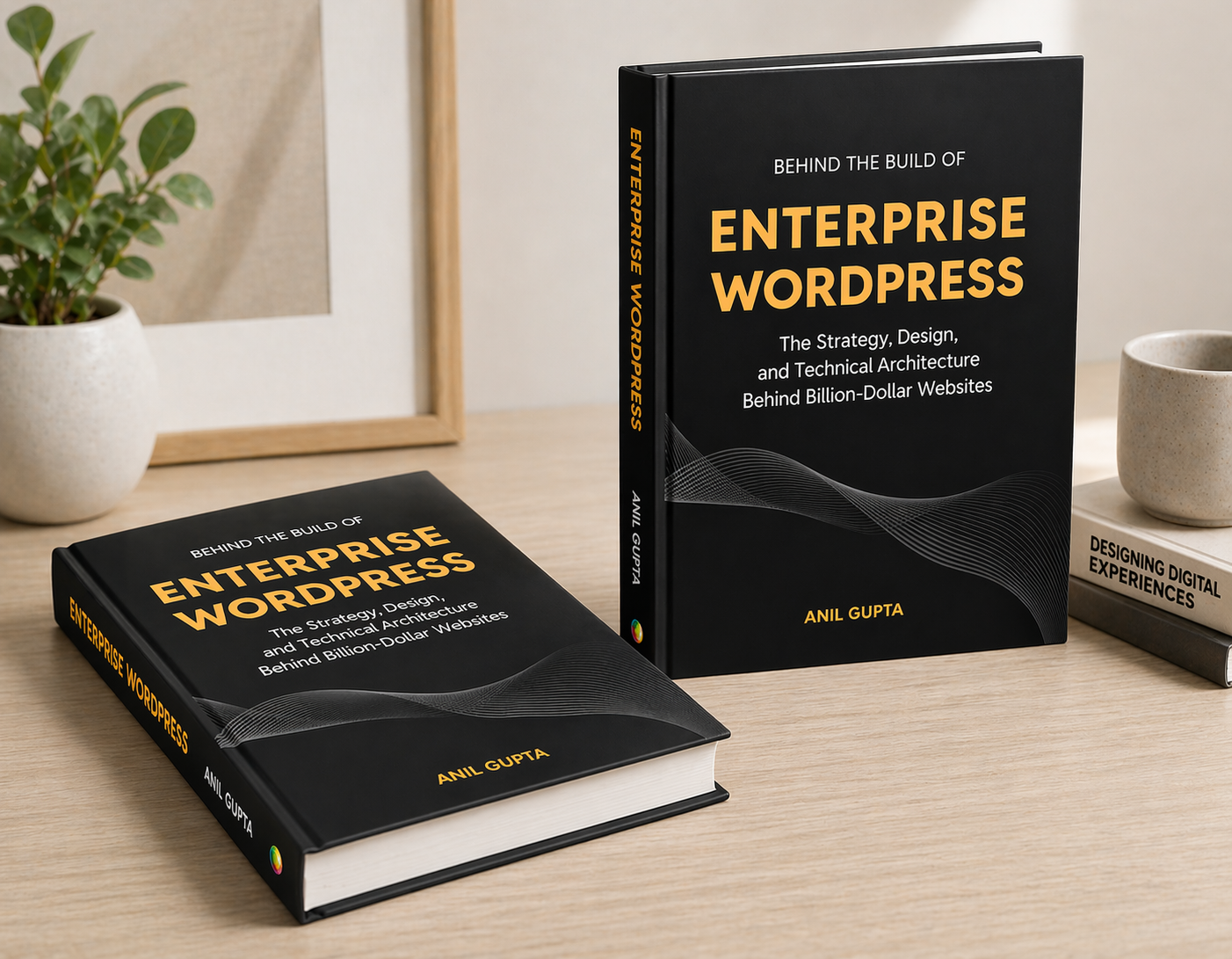
After more than a year of work, my book is finally ready—a comprehensive guide for tech leaders navigating the complexities of enterprise WordPress.
It's written for CTOs, IT managers, and enterprise decision-makers who want to understand how WordPress powers billion-dollar businesses.
Drawing from over a decade with Fortune 500 companies, I'm sharing strategies and insider knowledge most agencies keep to themselves.
What you'll learn:
- Evaluating WordPress for enterprise-scale operations
- Migration strategies that minimize risk and maximize ROI
- Performance optimization for high-traffic sites
- Security frameworks for enterprise compliance
- Team management for large WordPress deployments
The book is out now, and you can grab your copy today.
Ready to dive in? Order a copy of the book here.
👋 Until next time, Anil | CEO and Co-Founder → Multidots, Multicollab & Dotstore.
P.S. I also write about personal growth and agency growth.

WP for ENTERPRISES is brought to you by Multidots, an enterprise WordPress web agency that’s been empowering big enterprises to scale and succeed with WordPress.

Whenever you're ready (no pressure), there are four ways we can help:
#1: Enterprise WordPress consulting – Think of us as your WordPress GPS. We’ll get you where you need to go.
#2: Migrate your website to WordPress – No stress, no mess—just a smooth ride to the WP world.
#3: Designing and building a new site – Your dream site, minus the nightmares.
#4: Optimizing and maintaining your site – Because nobody likes a slow website (or a hangry one).
📆 Book a quick, free call—no hassle, no commitment, just solutions that work for you.
Member discussion