
How NASA, Disney & Foursquare Use the WordPress REST API to Connect Their CMS to Everything
Welcome to WP for ENTERPRISES, where we go behind the scenes of BILLION-DOLLAR WordPress websites.
In this issue, you'll discover:
- How the REST API turns WordPress into a content hub that talks to everything.
- The authentication methods that keep API access locked down at scale.
- How NASA, Disney, Foursquare, and Ask Media connect WordPress to dozens of external systems.
- A 4-stage maturity model to benchmark your own integration strategy.
Foursquare had a problem.
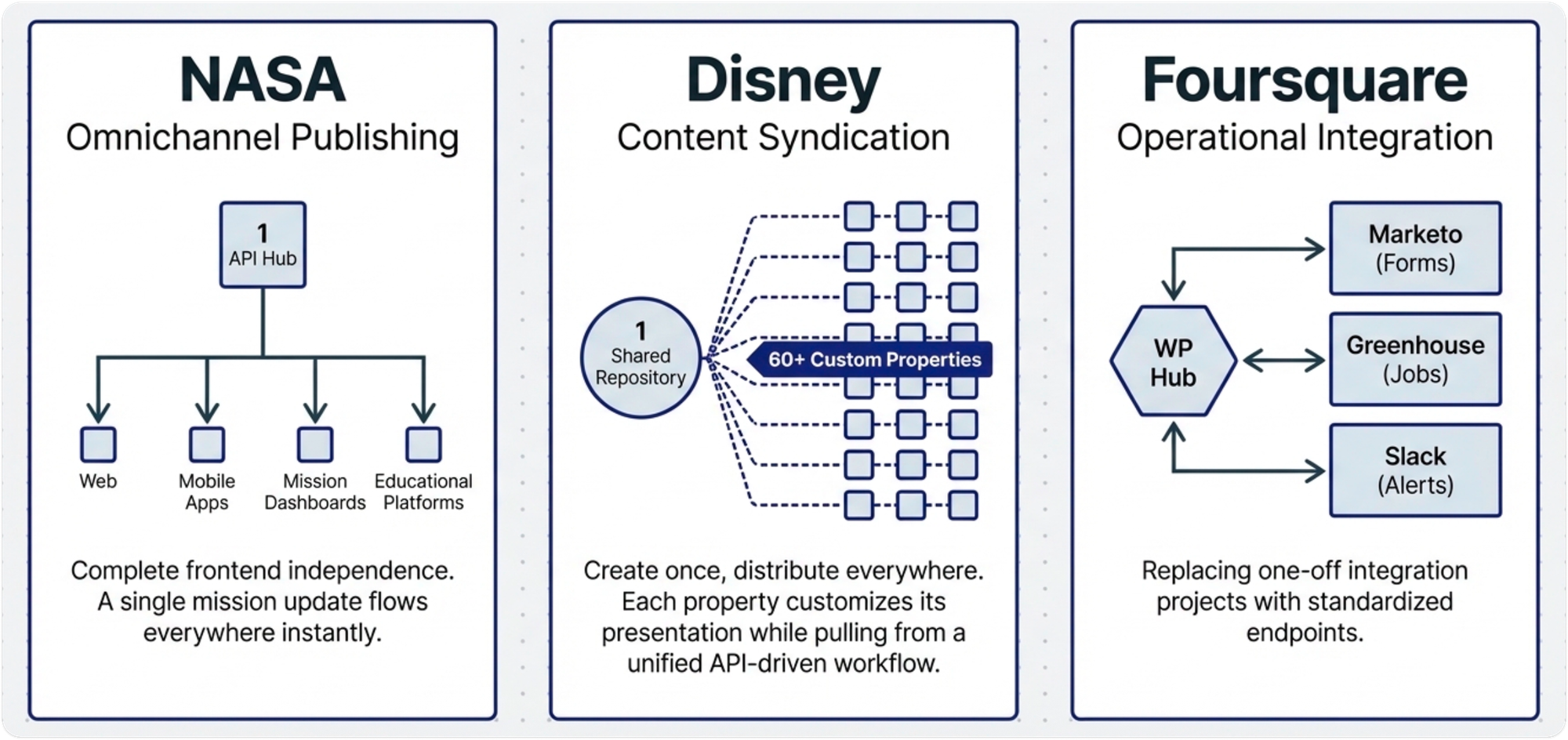
Their WordPress site needed to talk to Marketo (marketing automation), Greenhouse (recruiting), Slack (team communication), and a handful of internal APIs. The old system treated every integration as a one-off project. Fragile connections that broke with every update.
Then we helped them rebuild on WordPress.
Standardized REST API endpoints replaced the duct tape. Marketo forms connected cleanly. Greenhouse pulled job listings automatically. Slack notifications fired without anyone babysitting the process.
WordPress became the hub. Everything else plugged into it.
This is what extendibility looks like when you get it right. And it's the thing most teams underestimate until it's too late.
YOUR CMS DOESN'T OPERATE IN ISOLATION
Here's what most teams learn the hard way.
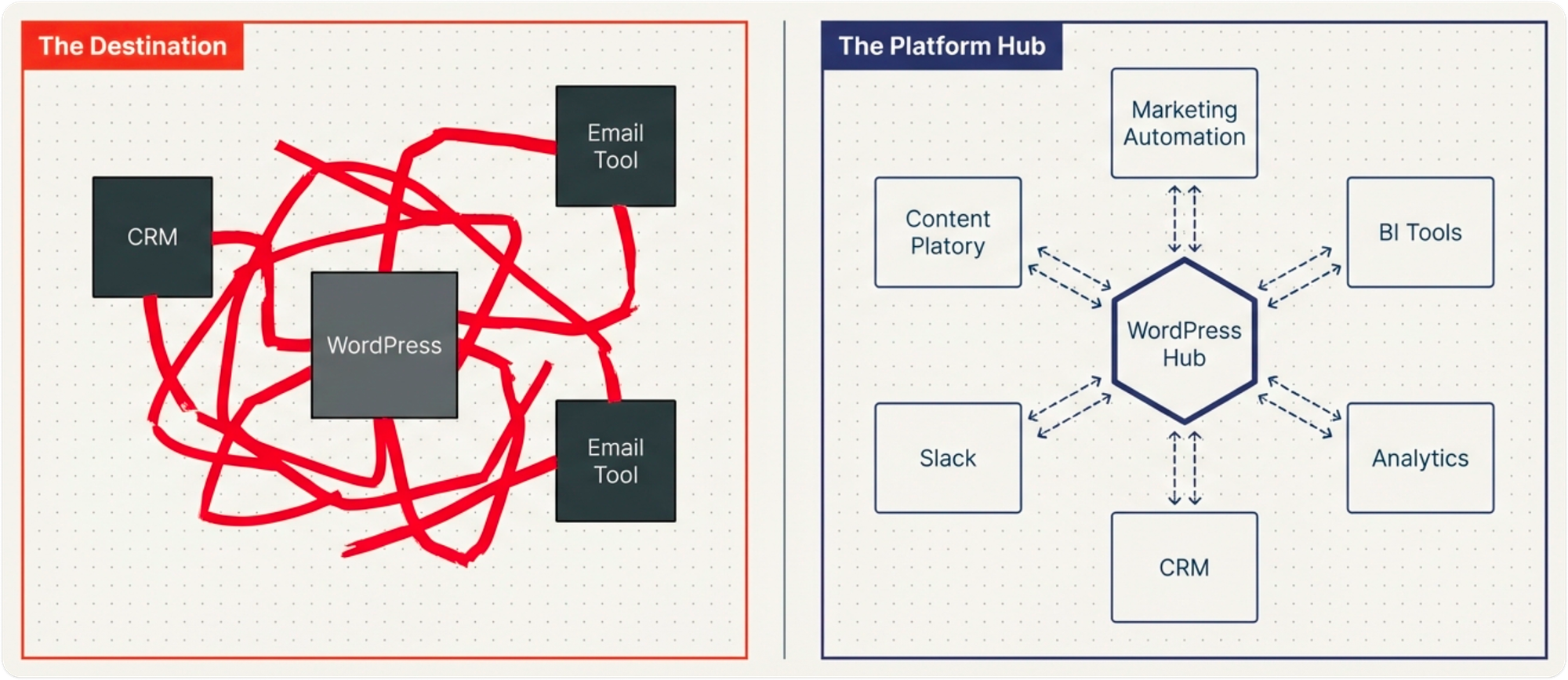
Your CMS has to play nicely with marketing automation, CRM, analytics, BI tools, and a dozen other platforms your organization already depends on.
The enterprises that get this right treat WordPress as a content platform, not a destination. Content originates in WordPress but flows everywhere through APIs. External systems push data back in. The CMS becomes a hub, not a silo.
WordPress's REST API is what makes this possible. Think of it as a universal service window. Any authorized system can request content, submit data, or trigger updates. It speaks HTTP. It returns JSON. That's it.
No proprietary connectors. No custom protocols.
HOW THE BIGGEST NAMES USE THIS
Out of the box, the REST API exposes posts, pages, media, comments, users, and settings. Filtering, sorting, and search are built in. No custom development needed to get started.
But at enterprise scale, the real power shows up with custom post types and API-first architecture.
NASA depends entirely on the REST API for omnichannel publishing. A single mission update flows to their website, mobile apps, mission control dashboards, educational platforms, and partner sites. Frontend technologies change without touching WordPress.
Disney uses the same pattern across 60+ properties. Content is created once, then distributed through API-driven workflows. Each property customizes presentation while pulling from shared repositories.
Similarly, we built custom post types for exhibitors, events, and sessions for NAB Show. Their mobile app queries those endpoints directly.
In every case, WordPress stays the stable content hub. Everything around it evolves independently.
LOCKING DOWN API ACCESS
APIs expose data programmatically. That creates security considerations beyond traditional WordPress access.
WordPress supports four authentication methods:
- Cookie authentication: same-domain requests using standard sessions.
- Application passwords: external tools, without sharing real credentials.
- OAuth 2.0: SaaS integrations with delegated access and token-based auth.
- JWT: headless implementations with auto-expiring tokens.
The White House layers all of this. Their REST API sits behind HTTP authentication with IP restrictions. Only approved systems from approved networks get access.
Beyond authentication, enterprise API security means rate limiting, HTTPS enforcement, input validation, CORS configuration, and disabling the default REST API index to prevent endpoint discovery.
FUTURE-PROOFING: THREE RULES
1. Think API-first. Build APIs before building interfaces. NASA does this religiously. Every new content type exposes a REST endpoint from day one. The question shifts from "How will users interact with this?" to "How will systems interact with this?"
2. Document everything. Undocumented APIs require constant developer hand-holding. NAB Show uses OpenAPI specs for automatic documentation and live testing. Integration friction drops dramatically.
3. Know when to build vs. buy. Use plugins when they match your needs. Build custom when business logic or security demands it. NASA builds mostly custom. Foursquare takes a hybrid approach: plugins for SEO and caching, custom for Marketo and Greenhouse.
One more thing. Centralize all your integration logic in a dedicated plugin. Don't scatter API calls across themes and plugins. It makes maintenance easier and dependency tracking possible.
BTW, WORDPRESS IS DOING THIS FOR AI TOO
WordPress 7.0 just shipped. And it quietly laid the foundation for AI-native integrations.
Three new pieces make this work:
The Abilities API lets plugins register what they can do in a standardized way. Create a post. Resize an image. Process an order. Any capability becomes discoverable by any system that asks.
The WP AI Client is now built into core. A provider-agnostic API that connects plugins to AI models from OpenAI, Anthropic, and Google through a single interface. No more writing custom code for each provider.
The MCP Adapter is the big one. MCP (Model Context Protocol) is an open standard for how AI assistants talk to external tools. The adapter turns your WordPress site into an MCP server.
AI tools like Claude, Cursor, or VS Code can now discover your site's abilities and execute them directly. Publish a post. Update a product. Pull analytics. All through a standardized protocol, respecting user roles and permissions.
This is the REST API story all over again. Only now, "any system" includes AI agents.
THE INTEGRATION MATURITY MODEL
The Integration Maturity Model gives you a quick benchmark:
Stage 1 — Basic: One-directional data flow. Manual. Most small WordPress sites live here.
Stage 2 — Bidirectional: Data flows both ways. Automation reduces manual work. Many mid-size enterprises.
Stage 3 — Real-Time: Continuous sync. Webhooks trigger instant updates. NASA and Disney operate here.
Stage 4 — Ecosystem: WordPress is one node in a unified data ecosystem. BI spanning platforms. Leading enterprises.
Don't aim for Stage 4 if Stage 2 solves your problems. Complexity without business justification is just technical debt.
WRAPPING UP
The lesson from every enterprise we've studied is consistent: treat WordPress as a content hub, not a destination.
NASA distributes content to websites, mobile apps, and mission control dashboards through the same API. Foursquare connected WordPress to Marketo, Greenhouse, and Slack through standardized endpoints. Disney powers 60+ properties from shared content repositories.
The REST API is what makes all of this possible. And it's available to every WordPress site right now.
Here's where to start:
- Map every integration you currently have, and the ones you're planning.
- Implement proper API authentication. Application passwords or OAuth at minimum.
- Set a versioning strategy before you need one. Retrofitting is painful.
- Figure out where you sit on the maturity model, and where you actually need to be.
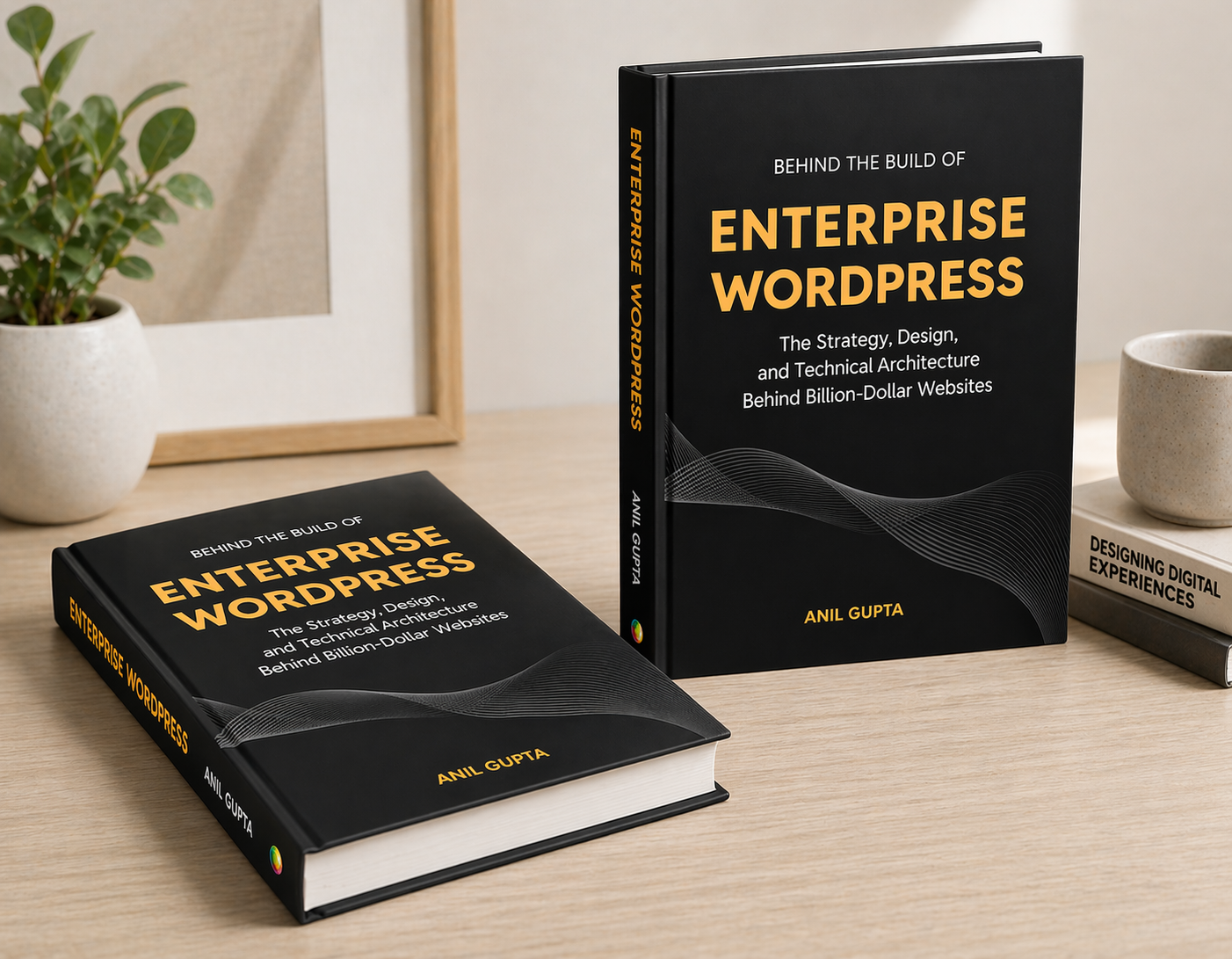
This topic is covered in depth in our book, Behind the Build of Enterprise WordPress.
IN CASE YOU MISSED IT
By the way, in the previous issue, I shared "The two big AI infrastructure changes in WordPress 6.9 and what they mean for your enterprise". Check it out here.
In this issue, you'll discover:
- What the Abilities API actually does (in plain English).
- How the MCP Adapter connects WordPress to AI assistants like ChatGPT and Claude.
- Why this changes the game for enterprise content workflows.
- Real scenarios where your team can use this today.
- What to watch out for (because it's not all sunshine).
 Anil Gupta
I'M WRITING A BOOK
I've been working on something special for over a year now—a comprehensive guide for tech leaders navigating the complexities of enterprise WordPress.
This book is written for CTOs, IT managers, and enterprise decision-makers who want to understand how WordPress powers billion-dollar businesses.
Drawing from over a decade with Fortune 500 companies, I'm sharing strategies and insider knowledge most agencies keep to themselves.
What you'll learn:
- Evaluating WordPress for enterprise-scale operations
- Migration strategies that minimize risk and maximize ROI
- Performance optimization for high-traffic sites
- Security frameworks for enterprise compliance
- Team management for large WordPress deployments
The book launches in the coming months, and I'm offering free advance copies to newsletter subscribers.
Interested in a free copy? Sign up for the book launch here.
👋 Until next time, Anil | CEO and Co-Founder → Multidots, Multicollab & Dotstore.
P.S. I also write about personal growth and agency growth.

WP for ENTERPRISES is brought to you by Multidots, an enterprise WordPress web agency that’s been empowering big enterprises to scale and succeed with WordPress.

Whenever you're ready (no pressure), there are four ways we can help:
#1: Enterprise WordPress consulting – Think of us as your WordPress GPS. We’ll get you where you need to go.
#2: Migrate your website to WordPress – No stress, no mess—just a smooth ride to the WP world.
#3: Designing and building a new site – Your dream site, minus the nightmares.
#4: Optimizing and maintaining your site – Because nobody likes a slow website (or a hangry one).
📆 Book a quick, free call—no hassle, no commitment, just solutions that work for you.
Member discussion