
WordPress Is Now AI-Ready & Your Enterprise Needs to Pay Attention
Welcome to WP for ENTERPRISES, where we go behind the scenes of BILLION-DOLLAR WordPress websites.
In this issue, you'll discover:
- What the Abilities API actually does (in plain English).
- How the MCP Adapter connects WordPress to AI assistants like ChatGPT and Claude.
- Why this changes the game for enterprise content workflows.
- Real scenarios where your team can use this today.
- What to watch out for (because it's not all sunshine).
In Issue #18, I gave you a quick rundown of the five big AI announcements from WordCamp US 2025.
Today, I'm going deeper on the two that matter most for enterprises: the Abilities API and the MCP Adapter.
Why these two?
Because they're not just features. They're infrastructure.
They change how WordPress talks to AI. How your plugins work together. And how your team gets things done.
And with WordPress 6.9 now shipped and live, this isn't a "coming soon" story.
It's a "here's what to do right now" story.
Let's get into it.
FIRST, A QUICK REALITY CHECK
Here's where most enterprise teams are today with AI and WordPress:
Marketing installs an AI writing plugin. Dev team installs a different one for image generation. SEO team uses yet another tool for content optimization.
Each plugin manages its own API keys—one for OpenAI, another for Claude, a third for Gemini. Its own settings. Its own way of talking to AI providers.
The result? A mess. Wasted money, bloated AI bills, and zero coordination.
Now multiply that across 15 plugins on a large enterprise site.
That's the problem WordPress 6.9 set out to fix.
THE ABILITIES API: GIVING YOUR SITE A VOICE
Here's the simplest way I can explain the Abilities API:
It's a menu for your WordPress site.
Not a restaurant menu. More like a capabilities menu.
Every plugin on your site does something. Your SEO plugin analyzes content. Your backup plugin creates snapshots. Your ecommerce plugin processes orders. Your analytics tool pulls reports.
But until now, there was no standard way for these plugins to describe what they can do.
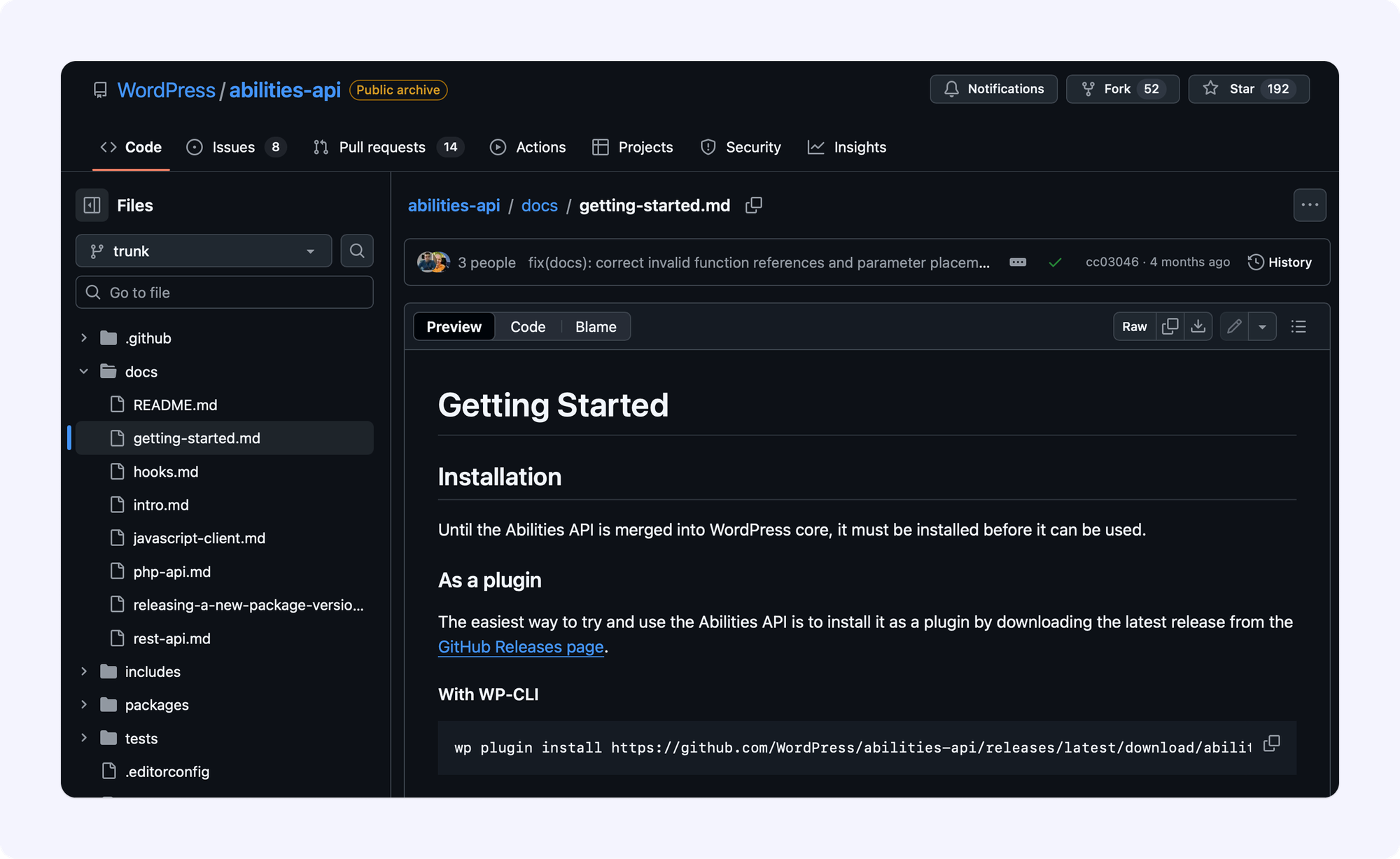
The Abilities API changes that.
It lets every plugin register its capabilities in a structured, machine-readable format. A format that both humans and AI systems can understand.
Think of it like this:
Before the Abilities API, your WordPress site was like a building full of offices. Each office does different things. But there's no directory in the lobby. No receptionist. No way for a visitor to know what's available without knocking on every single door.
The Abilities API is the building directory.
Now when an AI assistant (or the Command Palette, or an automation tool) asks "what can this site do?" it gets a clear, organized answer.
What Does an "Ability" Look Like?
An ability is a self-contained unit of functionality. It has:
- A name (like "generate-sales-report" or "analyze-seo").
- A description of what it does.
- Defined inputs (what it needs to run).
- Defined outputs (what it gives back).
- Permission rules (who's allowed to trigger it).
- Execution logic (the actual code that runs).
Your SEO plugin could register an ability called audit-page-seo. Your backup plugin could register create-site-backup. Your ecommerce platform could register pull-monthly-revenue.
Each one is discoverable. Validated. And executable through a standard interface.
Why This Matters for Enterprises
1. It's the foundation for real automation.
Right now, most WordPress "automation" is duct tape. Zapier webhooks. Custom REST endpoints. One-off integrations that break when you update a plugin.
With the Abilities API, automation becomes native. Plugins can talk to each other through a shared registry. Workflows can chain abilities together. And everything runs through WordPress's permission system.
2. It powers the Command Palette.
You've probably noticed the Command Palette (Ctrl+K or Cmd+K) is now available across the entire WordPress dashboard in 6.9. Not just the Site Editor.
That's the Abilities API at work. Every registered ability can surface in the Command Palette. Your team can trigger complex actions with a few keystrokes instead of clicking through five different admin screens.
3. It makes your site AI-ready.
This is the big one. When an AI assistant connects to your site (more on that in a minute), it doesn't have to guess what your site can do. The Abilities API gives it a structured map of every available action.
No guessing. No hallucinating capabilities. Just a clear list of what's possible and what permissions are required.
THE MCP ADAPTER: THE BRIDGE BETWEEN WORDPRESS AND AI
So the Abilities API is the directory. Great.
But a directory is useless if nobody can read it.
Enter the MCP Adapter.
MCP stands for Model Context Protocol. It's an open standard (not WordPress-specific) that defines how AI assistants talk to apps. Think of it as a universal translator between AI systems and software.
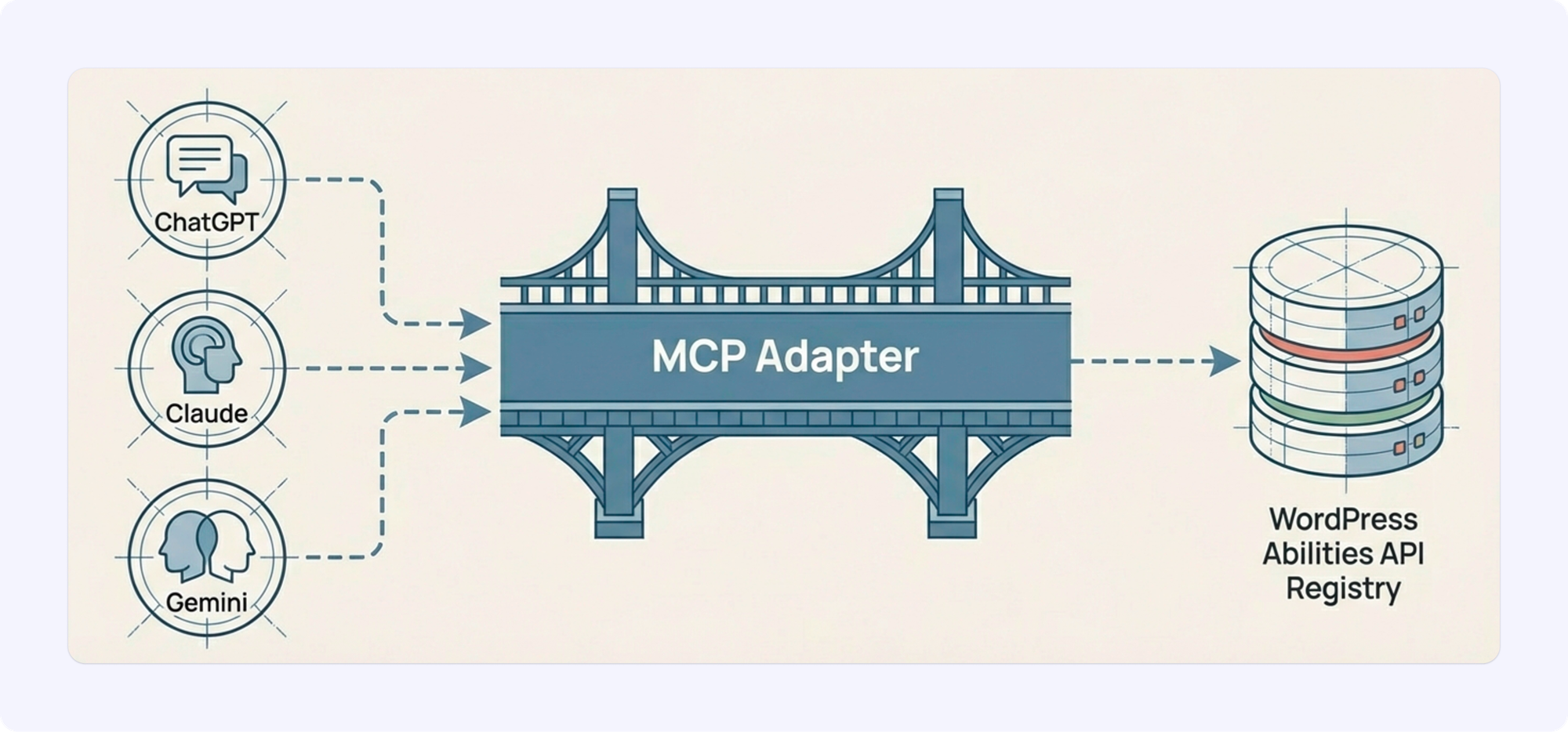
The MCP Adapter is a WordPress plugin that connects your site's Abilities API registry to this protocol.
In plain terms: it's the bridge between your WordPress site and AI assistants like ChatGPT, Claude, Gemini, or any other MCP-compatible tool.
How It Actually Works
Here's a real scenario:
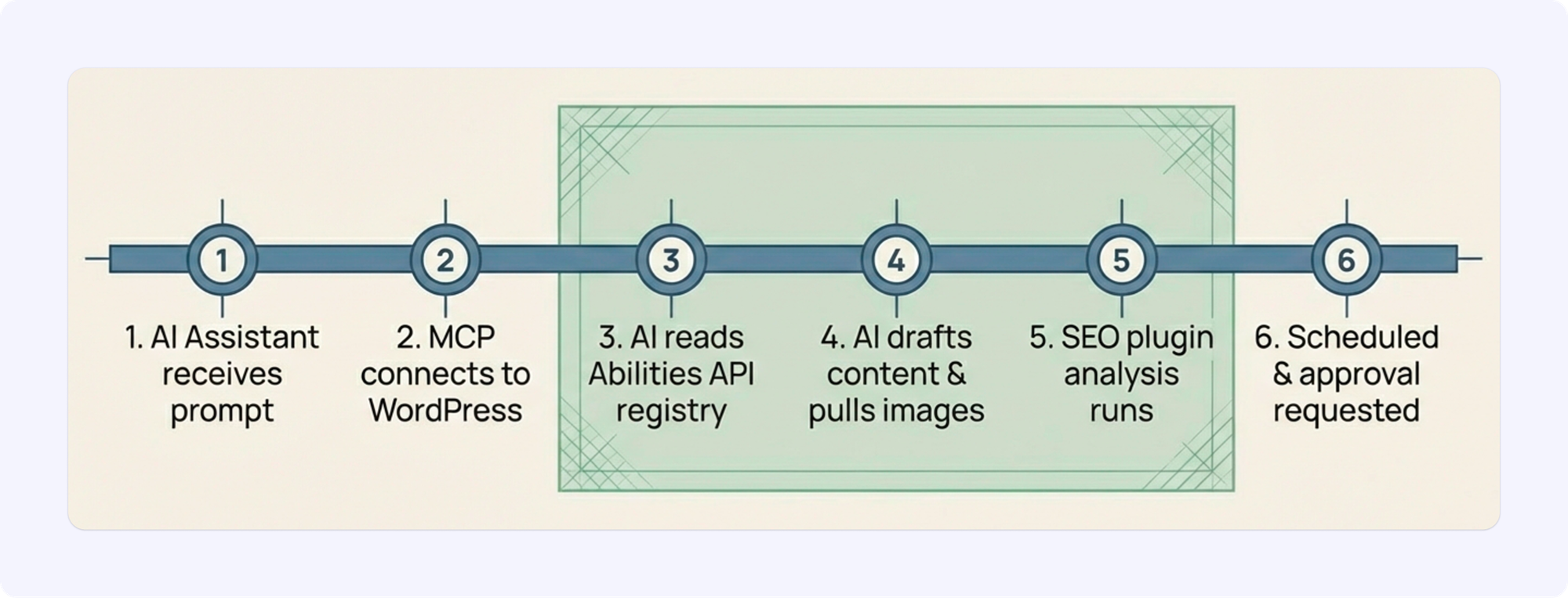
Your editor opens an AI assistant and says: "Publish our quarterly recap post for tomorrow morning."
Without MCP, that request goes nowhere. The AI can maybe draft some text. But it can't actually do anything inside WordPress.
With MCP + Abilities API working together:
- The AI assistant connects to your WordPress site through MCP.
- It reads the Abilities API registry. Sees available actions like "create-post," "upload-media," "run-seo-check," "schedule-publication."
- It drafts the post content.
- It pulls approved images from your media library.
- It runs your SEO plugin's analysis.
- It schedules the post for tomorrow morning.
- It pings you for final approval before anything goes live.
Every step respects WordPress user roles and permissions. The AI can only do what you've explicitly allowed.
What This Means for Enterprise Teams
Your WordPress site becomes an MCP server.
That means AI tools can discover and use your site's capabilities. Your content team can issue natural language commands. Your automation tools can trigger WordPress actions without custom code.
But it goes both ways.
WordPress can also act as an MCP client. Connecting to other MCP-compatible tools and services in your stack.
Imagine your WordPress site pulling data from your CRM, your analytics platform, and your DAM system. All through the same protocol. All coordinated by AI.
That's the long-term vision. We're not fully there yet. But the plumbing is in place.
5 ENTERPRISE SCENARIOS WHERE THIS GETS REAL
Let me walk you through five practical ways enterprise teams can use Abilities API + MCP today.
Scenario 1: AI-Assisted Content Publishing
Your content team writes in Google Docs (or wherever they write). An AI assistant takes the approved draft, creates the WordPress post, applies the right category and tags, runs SEO analysis, optimizes the meta description, and schedules it.
The editor just reviews and hits approve.
No copy-pasting. No manual metadata entry. No back-and-forth with the dev team.
Scenario 2: Automated Compliance Checks
For regulated industries (healthcare, finance, government), every piece of content needs compliance review.
Register a "compliance-check" ability that scans content against your organization's rules. The AI assistant can run this check automatically before any post gets scheduled. Flag issues. Suggest fixes. Block publication if something fails.
Scenario 3: Cross-Platform Content Syndication
You publish on your main site. But you also need the content on your regional sites, your app, your partner portals.
Chain abilities together: "publish-post" → "syndicate-to-multisite" → "push-to-app-api" → "notify-partners."
One action triggers the entire workflow.
Scenario 4: Smart Reporting
Your CMO wants a content performance report every Monday morning.
An AI assistant connects to your analytics ability, pulls the data, formats it, and delivers it. Every week. Without anyone lifting a finger.
Scenario 5: Intelligent Site Audits
Connect your SEO plugin's abilities, your performance monitoring, and your security scanner. Ask an AI assistant: "Give me a full site health report."
It runs all three audits, compiles the results, highlights the critical issues, and even suggests fixes based on your site's specific configuration.
HOW MULTIDOTS CAN HELP
At Multidots, we're already helping enterprise clients implement AI-powered workflows inside WordPress.
Here's what we're doing:
- Registering custom abilities for complex enterprise workflows (content syndication, compliance checks, multi-language publishing).
- Setting up MCP Adapter configurations with proper security and permission rules.
- Building AI-assisted content pipelines that connect WordPress to the AI tools our clients already use.
- Training enterprise teams on how to use AI inside WordPress without breaking things.
If you're running a large-scale WordPress site and want to explore what's possible with the Abilities API and MCP, we'd love to chat.
📆 Book a quick, free call. No pitch deck. No pressure. Just a straight conversation about what makes sense for your setup.
BOTTOM LINE
WordPress 6.9 didn't just add a few new blocks and some UI tweaks.
It gave WordPress a way to talk to AI. Natively. Securely. At scale.
The Abilities API is the directory. The MCP Adapter is the bridge. Together, they turn WordPress from a content management system into an AI-ready platform.
For enterprises, this is a big deal.
Not because you need to rush into AI-everything tomorrow. But because the infrastructure is now in place. The foundation is set. And the teams that start building on it today will be the ones running circles around their competitors in 18 months.
Matt Mullenweg said it at WordCamp Europe:
"We're in the command-line era of AI. The best applications are still ahead."
WordPress 6.9 just gave enterprises the command line.
What you build with it is up to you.
IN CASE YOU MISSED IT
By the way, in the previous issue, I shared "Complete guide to accessibility, GDPR, and the compliance requirements that protect billion-dollar brands". Check it out here.
In this issue, you'll discover:
- Why the White House treats accessibility as a legal requirement (because it is).
- The three compliance standards you actually need to know.
- How NASA catches accessibility issues before they become lawsuits.
- GDPR, CCPA, and the data privacy rules that could bankrupt you.
- The tools that make compliance automatic, not painful.
 Anil Gupta
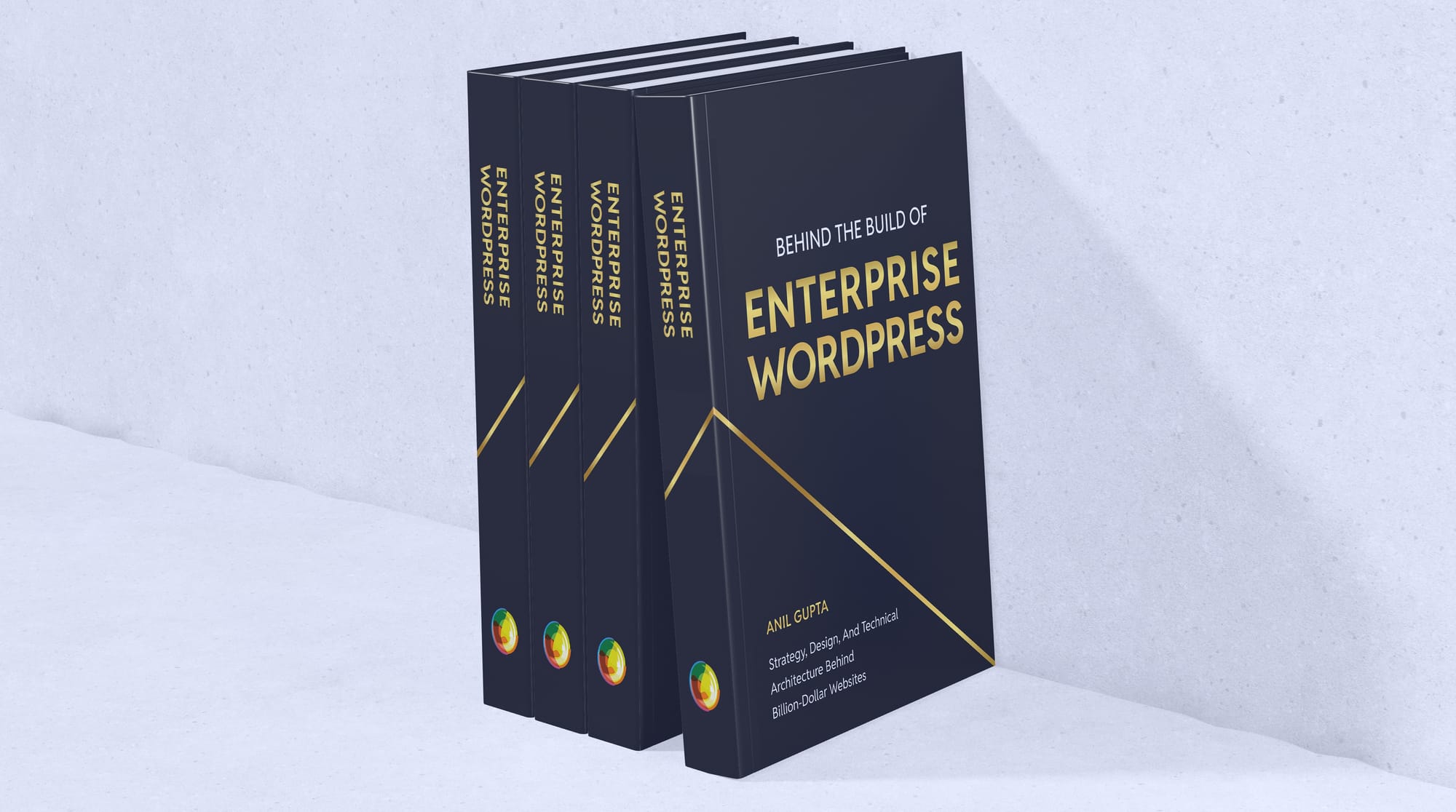
I'M WRITING A BOOK
I've been working on something special for over a year now—a comprehensive guide for tech leaders navigating the complexities of enterprise WordPress.
This book is written for CTOs, IT managers, and enterprise decision-makers who want to understand how WordPress powers billion-dollar businesses.
Drawing from over a decade with Fortune 500 companies, I'm sharing strategies and insider knowledge most agencies keep to themselves.
What you'll learn:
- Evaluating WordPress for enterprise-scale operations
- Migration strategies that minimize risk and maximize ROI
- Performance optimization for high-traffic sites
- Security frameworks for enterprise compliance
- Team management for large WordPress deployments
The book launches in the coming months, and I'm offering free advance copies to newsletter subscribers.
Interested in a free copy? Sign up for the book launch here.
👋 Until next time, Anil | CEO and Co-Founder → Multidots, Multicollab & Dotstore.
P.S. I also write about personal growth and agency growth.

WP for ENTERPRISES is brought to you by Multidots, an enterprise WordPress web agency that’s been empowering big enterprises to scale and succeed with WordPress.

Whenever you're ready (no pressure), there are four ways we can help:
#1: Enterprise WordPress consulting – Think of us as your WordPress GPS. We’ll get you where you need to go.
#2: Migrate your website to WordPress – No stress, no mess—just a smooth ride to the WP world.
#3: Designing and building a new site – Your dream site, minus the nightmares.
#4: Optimizing and maintaining your site – Because nobody likes a slow website (or a hangry one).
📆 Book a quick, free call—no hassle, no commitment, just solutions that work for you.
Member discussion